


For years, investing apps were a novelty. Now, they’re synonymous with brokerage accounts. And considering how easy they are to use, it makes sense that new investors are turning to mobile platforms to get into the stock market.
Below, we’ve listed online brokerages whose mobile apps feature everything a new investor might need. All of these platforms offer:
-
Commission-free trading. By now, free trading is the norm in the industry. Any broker or app you consider should not charge commissions. Some brokers like to flaunt this as a differentiator, but honestly, it’s a table stakes offering.
-
Fractional shares. The ability to buy stocks in whatever dollar amount you want, rather than by the number of shares you want, is a very positive development in the industry, especially for new investors. While not every major broker offers fractional shares, all of the apps below do.
-
Low or no minimums. Minimums are uncommon these days, but make sure to avoid any broker that requires upfront deposits of several hundred (or even several thousand) dollars. We’ve excluded these from our list.
As long as the investing app you choose offers the above, you’re likely in good hands. But here are our five favorite apps, including the best offerings they bring to the table.
Our 2026 list of the best investing apps for beginners
Fidelity: The best app overall
Every year when Fidelity receives a perfect score in our rubric, we wonder: What did we miss? Where are the flaws in this legacy broker? And invariably we arrive at the same conclusion that, once again, Fidelity really does have everything most investors want and very little they don’t.
What makes Fidelity such a strong choice
Trust, peace of mind and support. Fidelity has been operating since 1946, and manages investments that total around $6 trillion. The number of customers they serve is somewhere around 50 million, yet they still manage to offer 24/7 phone support. This is a family-owned, privately-held company that long ago established itself as a leader in the industry, and it’s maintained that reputation through to today. When I’m using the app, I don’t feel like I’m being nudged toward products I don’t need or instruments and strategies that are too advanced for me. It just does what I want it to do, and that’s extremely refreshing in a world where attention is highly valuable currency.
Easy to use, easy to learn. If you’re new to investing, it’s true that Fidelity actually has more than you need. But the beauty of the app is that those extra offerings won’t get in your way if you’re looking for very basic buy-and-hold stock investing. Then when you’re ready to expand your portfolio, learn more about investing concepts and strategies or open other types of accounts (like a retirement account), that’s all very easily done in-app.
👉 See how we rate Fidelity’s fees, features, and minimums
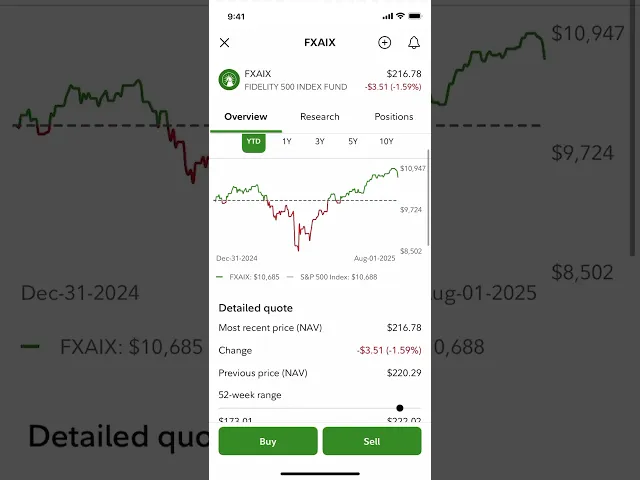
Want to see Fidelity in action? Senior Investing Writer Alana Benson shows us what it looks like to buy an index fund inside the app:
What Fidelity doesn’t do as well
As noted earlier, there really aren’t any downsides for new investors just starting out and who want a taxable brokerage account. If you’re looking for a very specific offering, other brokers may spike above Fidelity in those areas, though. So if that’s you, keep your options open (and keep reading).
Public: The best for building a diversified portfolio
I’m excited to talk about Public, because it’s an app that just two years ago I would not have included on this list. But for a very new app (it’s only been around since 2019), it’s shown an exceptional ability to keep adding features today’s investors arguably need most, rather than showy bells and whistles that don’t bring a ton of value. And all of these additions have made it one of the best apps for easily building a diversified portfolio. Here’s what you’ll get:
A really good index-building AI tool
Public’s Generated Assets feature helps you build your own custom index (that’s just a list of stocks) based on the criteria you input. I was skeptical at first, but after I tested it, I understood the hype. I asked it to create a diversified index of climate-resilient industrials, and it quickly created a customizable index of 22 companies. Moreover, you can direct it to rebalance anywhere from daily to annually, and even backtest your index and compare it to the S&P 500. However, there is a $1,000 minimum to actually invest in your custom index.
Easy income-focused investing
Public gives investors three ways to get high yields on zero- or low-risk investments: A diversified corporate bond account, which currently offers 5.46%; a Treasury account, currently yielding 3.57%, and a high-yield cash account, yielding 3.3%. All of these are well-explained and easy to fold into your overall portfolio.
Direct indexing
It’s a fairly big achievement for Public to start offering direct indexing — a technique that involves investing in each individual stock listed in an index, rather than, say, an ETF that tracks the index. While it’s not perfect (there are investment minimums ranging from $1,975 for 100 stocks to around $80,000 for 499 stocks) the interface is remarkably easy to use and understand — surprising for a highly technical offering. If you can manage the minimums, this is a great tool for a strategy known as tax-loss harvesting, which involves selling investments at a loss to offset capital gains taxes.
Investment Plans
Public lets users choose either pre-made portfolios or customize their own of up to 20 stocks, ETFs or cryptocurrencies, select allocations for each asset, and set regular contributions to this portfolio. Each contribution is then distributed according to your set allocation. This type of basket investing is becoming more common, but Public’s is far from the best of the bunch. Still, it adds to Public’s appeal as an excellent app for building diversification.
👉 See how we rate Public’s fees, features, and minimums
What I don’t like about Public
There are two parts of Public’s sign up process I really didn’t like: It defaulted to opening a margin account, which new investors should avoid. And then, there was a small box automatically checked that enrolled me in their Securities Lending Program. I have no intention of lending out my stocks (which Public’s clearing company Apex typically uses to facilitate short-selling), so I would have preferred this wasn’t checked by default. It’s easy enough to change this in your account settings after the fact, but it’s the fact that it was the default option that rubbed me the wrong way.
Webull: The best paper trading tool
Webull has always had a very fun (and helpful) paper trading platform. If you haven’t heard of paper trading, it’s basically a stock market simulator that lets you practice placing trades with fake money. It’s a great tool for building confidence using these highly-technical and often daunting platforms. Webull’s paper trader:
-
Lets you practice trading stocks, options and futures with a fake $1,000,000.
-
Includes all data, charting, analysis, newsfeeds and everything else you’d see in a real trading environment.
-
Can itself be confusing, but that’s why the low-stake environment is so helpful.
In the above images, you can see how realistic Webull’s paper trading platform is. From left to right: the stock/ETF trading platform, the options chain, and the futures trading interface.
If you already have a primary investing app, Webull could be a strong complementary broker thanks to this feature. But we should note Webull, like Fidelity, received a perfect score in our rubric, despite its slightly worse UX. So it really has a ton going for it beyond paper trading, too. Read Webull’s full, detailed review here and check out its quick facts below.
👉 See how we rate Webull’s fees, features, and minimums
Where Webull falls short
As Webull has continued to add new offerings (retirement accounts, access to cryptocurrency, IRA matching, advanced trading features, etc.), it feels like the app is literally filling up. Where there was previously ample white space is now cluttered with ads for Webull’s many additional services. There’s not a lot of breathing room anymore, and the uncluttered UX is something I loved about Webull in the early days. That said, all the new offerings are undoubtedly a good thing, and likely offset the declining UX. But I have to say I miss the super slick experience of years ago.
Robinhood: The best for an IRA match (and an incredibly smooth UX)
Robinhood has long been known for its mobile-friendly interface, and for good reason. It’s one of the best-designed apps (of any app, not just trading apps) I’ve ever used, second only to perhaps Chipotle’s app.
But since Robinhood’s leadership in UX is firmly established, I want to heap praise instead for its IRA match program — which Robinhood pioneered, and which most of its competitors have copied. Here’s how it works:
-
With a Robinhood Gold membership ($50/year or $5/month), Robinhood will match your IRA contributions by 3%. That means if you max out your IRA in 2026 ($7,500 for those under 50 years old) Robinhood will give you $225 to put toward your IRA.
-
A cool twist: that $225 is considered interest income within your IRA, meaning it doesn’t count toward your annual contribution limit, effectively letting you contribute $7,725 in 2026.
-
Robinhood Gold comes with lots of benefits, so it may be tempting to consider it a separate, unrelated cost. However, it’s worth remembering if you get Gold specifically for the IRA match, you net out a match of only $175, not $225.
The match without Gold is less compelling: At 1%, that amounts to $75 extra, which yes, is free money, but won’t be a gamechanger for your retirement savings.
👉 See how we rate Robinhood’s fees, features, and minimums
What I still don’t like about Robinhood
I’ve been reviewing Robinhood for over half a decade. I’ve loved watching them mature far beyond what feels like the wild west days of 2020 and 2021. But they still make the bulk of their revenue from strategies antithetical to proven long-term investing practices, and they push these strategies on app users. Be aware of this. As a product of Silicon Valley, Robinhood knows how to get your attention, and in my opinion, even influence your behavior.
M1: The best for building custom portfolios
Earlier I mentioned Public’s Investment Plans were good, but not great. So now let’s look at M1’s “Pies” custom portfolio feature, which in my opinion, is the best among any broker I’ve reviewed.
M1 makes it super simple to create a basket of assets (stocks and ETFs), set an allocation for each, automate contributions and have those contributions dispersed accordingly among all assets in the basket. So what sets M1’s apart from other, similar basket trading features, like those offered by Fidelity and Public? A lot.
-
On high balances, it’s free. M1 charges a $3/month platform fee, which isn’t great. However, balances of $10,000 or more see this fee waived. Public’s comparable portfolio builder charges a per-transaction fee of $1.99 for portfolios with 20 stocks in them. Fidelity charges $4.99 for their version of the service.
-
Include up to 100 assets. The typical M1 user can build a custom portfolio containing up to 100 stocks or ETFs — far more than Fidelity’s 50 and Public’s 20. And, simply by calling and requesting it, I had my limit raised to 150.
-
Flexibility with model portfolios. If you want some expert help, M1 also offers pre-built pies based on themes. And while you can’t edit these directly, you could recreate them as a custom pie and adjust accordingly pretty easily. Alternatively, you could include a pre-built expert pie as one “slice” of your own custom pie. There’s a lot of mixing and matching that can go on here.
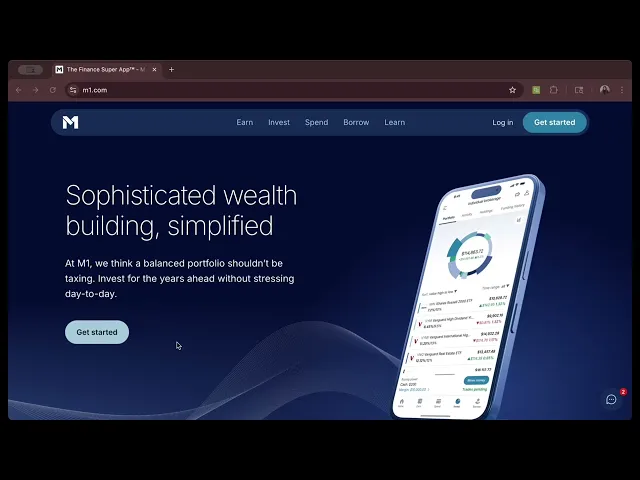
In this video, Bella Avila from the NerdWallet Investing team walks us through opening an M1 account for the first time:
I want to make clear that M1 is not a stock trading app, in the same way the others on this list are. In fact, M1 only executes trades during two windows each trading day. It’s designed to help long-term, hands-off investors create a custom portfolio, then let it run. If that’s what you’re looking for, it’s an excellent choice. If you’re looking to actively trade stocks, it’s not.
👉 See how we rate M1’s fees, features, and minimums
Where M1 fall short
M1 has a rarely-seen $100 investment minimum to get started, plus that $3 monthly platform fee and a pretty high balance requirement to waive it. I’d argue the services received are worth those minimums and fees, but that’s up to everyone individually.